Your Old Phone Is A Privacy Time Bomb: What Cops And Hackers Can Recover From "Deleted" Data
Introduction
You're about to sell your old phone. Maybe upgrading to the latest model, maybe just need the cash. You do the responsible thing: Settings > Factory Reset > Erase All Data. You watch the progress bar crawl across the screen. The phone reboots, shows that cheerful setup screen like it's fresh from the factory. Clean slate. Safe to sell. Right? Wrong. Catastrophically wrong. That factory reset you just performed? It didn't delete shit. Not really. Your photos are still there. Your messages to your ex, your therapist, your weed dealer—all recoverable. Your bank app login, your browsing history showing exactly which medication side effects you've been googling at 3am, the GPS coordinates of everywhere you've been for the past two years. A forensic examiner pulled 233,742 deleted files from a factory-reset Android 11 phone. Not an old phone. Not an unencrypted phone. A recent Android device that someone thought they'd properly wiped. If you've ever hit "delete" and assumed that meant "gone," you've been operating under a dangerous fantasy. This isn't about some NSA supercomputer cracking your data—this is about the cops who bought your phone at a pawn shop, the buyer on Facebook Marketplace running recovery software, or your nosy ex with $40 and a YouTube tutorial. The good news? There's an actual way to do this right. It's not complicated, but nobody tells you the steps that matter. Let's fix that.
Why Factory Reset Is Security Theater (And What Actually Happens When You Hit That Button)
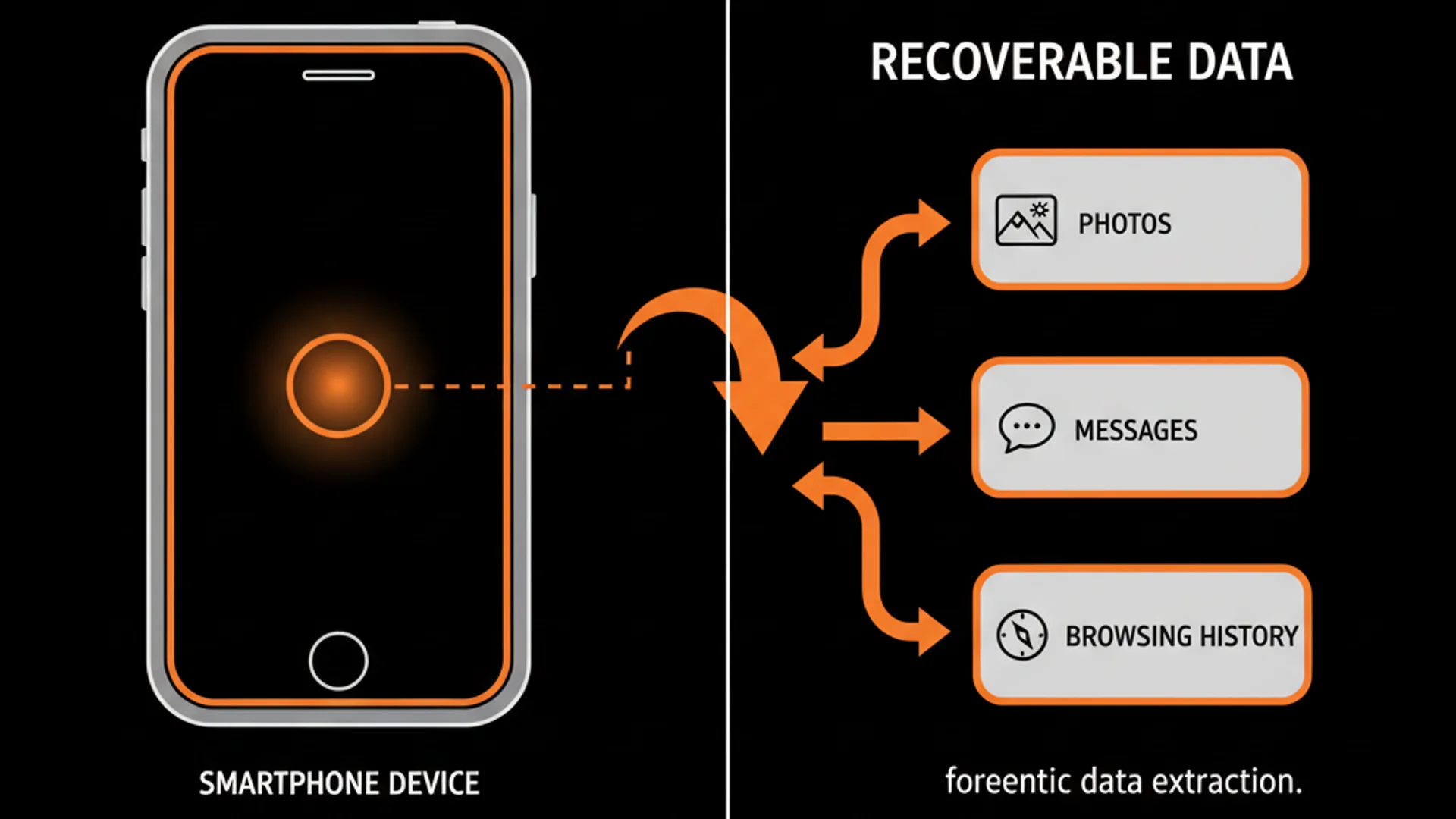
Here's what your phone does when you factory reset: it deletes the index. Think of your phone's storage like a massive library. Your photos, messages, and app data are books on shelves. The index is the card catalog telling you where everything is. Factory reset tosses the card catalog in the shredder. The books? Still on the shelves. Still readable. Just harder to find. The technical term is "pointer deletion." Your operating system maintains a file allocation table—basically a map saying "photo_beach.jpg lives at memory address 0x4F2A3." When you delete that photo or factory reset, the OS erases that map entry. The actual photo, the actual data written to the flash storage chips? Untouched. It just sits there, invisible to your OS but perfectly visible to recovery software that scans the raw storage looking for file signatures—the digital fingerprints that mark the beginning of a JPEG, a text message database, or a document. This gets worse because of how flash memory actually works. Your phone uses something called wear leveling, a technique designed to extend the lifespan of storage chips. Flash memory cells can only be written and erased a finite number of times (usually around 10,000 cycles). To prevent certain cells from wearing out faster than others, the firmware spreads writes evenly across the entire chip. When you save a new photo, it doesn't necessarily get written to the "next available space" in a neat line. The controller writes it wherever it calculates will best balance the wear across the chip, then updates the Flash Translation Layer (the map between logical addresses your OS sees and physical locations on the chip). Here's the horror: this means old data never actually gets overwritten in a predictable way.
You could fill your phone with new photos, factory reset, fill it again—and fragments of the original data might still persist in physical memory locations that the wear leveling algorithm hasn't reused yet. One data recovery specialist described it as "flash memory amnesia"—the device appears to have forgotten the data exists, but it's still there in the silicon, orphaned and invisible to normal operations but perfectly extractable with the right tools. The divide between safe and screwed comes down to one thing: encryption. Modern Android devices (version 6.0 Marshmallow and later) ship encrypted by default, using either Full Disk Encryption or File-Based Encryption. iOS devices running 8.0 or later are automatically encrypted. When these phones are properly encrypted and you factory reset, the OS doesn't just delete the data map—it deletes the encryption keys. Those orphaned data fragments? They're still there physically, but they're now encrypted gibberish without the key. Breaking that encryption would require trying all 115,792,089,237,316,195,423,570,985,008,687,907,853,269,984,665,640,564,039,457,584,007,913,129,639,936 possible combinations for 256-bit encryption. That's not happening. Not in your lifetime, not in the lifetime of the universe. But here's where people fuck up: older phones weren't encrypted by default. If you're selling an Android phone older than 2015 or an iPhone older than iOS 8, and you didn't manually enable encryption, every piece of data you ever put on that device is recoverable. Not "might be" recoverable. Is recoverable. With free software. By anyone.
What They Can Actually Recover (And How They Do It)
Let's talk about what persists on an improperly wiped phone. The inventory is worse than you think: photos (including the ones you deleted years ago), complete message histories from SMS and encrypted apps like WhatsApp, contact lists with names and numbers, browsing history including incognito sessions, app data showing which banking apps you use, location history with GPS coordinates and timestamps, email archives, voice memos, and the credentials or tokens that could let someone access your cloud accounts. The University of Hertfordshire studied this in partnership with Comparitech and found they could recover photos, emails, texts, and documents from factory-reset Android devices. Not some of them. Not fragments. Complete, usable files. Your nudes. Your arguments. Your medical information. Your affair. All of it. The recovery techniques exist on a spectrum from "script kiddie with free software" to "forensic lab with a microscope." At the basic level, consumer recovery tools like Dr.Fone, Recuva, or Disk Drill scan the raw storage for file signatures. These programs know that JPEG images start with the hex bytes FF D8 FF, that SQLite databases (which store your messages) start with "SQLite format 3," and that MP4 videos have distinctive headers. They scan every sector of storage looking for these patterns, then reconstruct the files. Success rate on an unencrypted, factory-reset device? Disturbingly high. When software recovery fails because encryption is present or TRIM commands have done their job, forensics escalates to hardware attacks. Chip-off forensics means exactly what it sounds like: they desolder the actual NAND flash memory chip from the phone's circuit board, put it in a specialized reader, and extract the raw binary data directly. This bypasses the operating system entirely, along with many software-based protections.
One step more invasive: JTAG or boundary scan, where technicians solder wires directly to test points on the phone's motherboard to interface with the memory controller at the hardware level. These aren't theoretical techniques. This is standard procedure for law enforcement, private investigators, and data recovery companies. A forensic examiner casually mentioned pulling over 200,000 deleted files from a single Android 11 device. Not ancient technology. Not some obscure vulnerability. A modern phone that went through a standard factory reset. And then there's the cloud dimension that most people completely miss. You meticulously wiped your phone, but your photos have been silently backing up to Google Photos for three years. Your messages are in iCloud. Your location history is in Google Timeline. Your app data is synced across devices. Even perfect device-level deletion accomplishes nothing if your data lives on six different servers with separate deletion policies and retention periods you've never read. The cost barrier for this is vanishing. Professional forensic recovery runs about $1,300 for a single device, but consumer-grade recovery software costs $40 to $70. The free options work fine for basic recovery. The knowledge barrier? YouTube tutorials make this accessible to anyone who can follow a recipe. Your threat isn't just cops with warrants or the NSA—it's the guy who bought your phone on Craigslist and got curious about the previous owner.
The Actual Secure Deletion Protocol (Step By Step, Nothing Skipped)
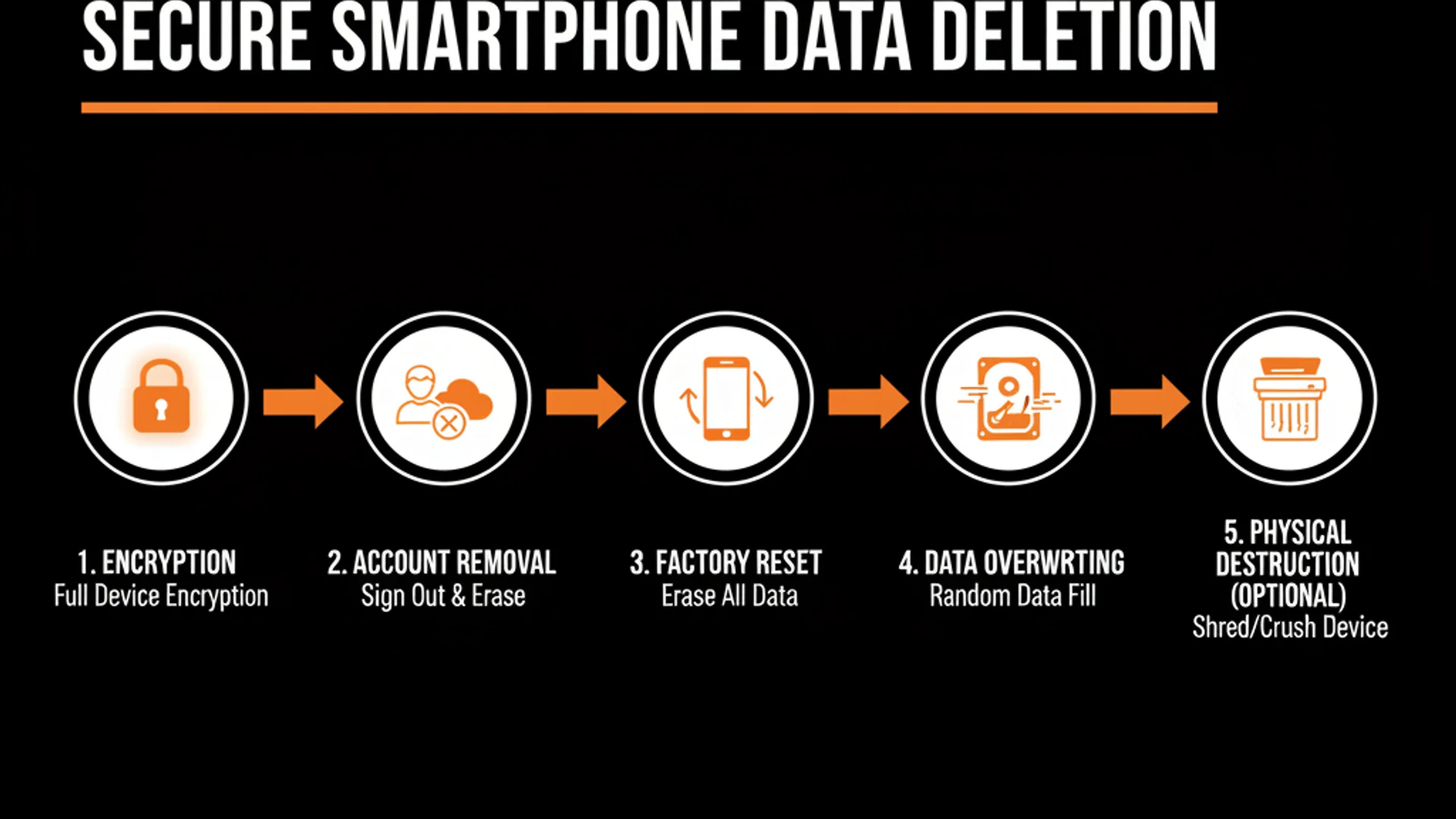
Alright, here's how you actually do this. Not the bullshit security advice that stops at "just factory reset." The procedure that makes your data genuinely unrecoverable without resorting to a hammer (though we'll cover that option too). **STEP ONE: Check if your device is encrypted (5 minutes)** On Android: Go to Settings > Security (or Settings > Security & Location on some devices). Look for an entry that says "Encrypt phone" or "Encryption." If it says "Encrypted," you're good. If it says "Encrypt phone" as an available option, that means it's NOT currently encrypted, and you need to run that process now. This can take an hour or more and requires your phone to be plugged in with at least 80% battery. Do not skip this. On very old Android versions (pre-6.0), you have to manually enable it. On iPhone: If you're running iOS 8.0 or later (anything from 2014 onward), your device is automatically encrypted. You can verify by going to Settings > Face ID & Passcode (or Touch ID & Passcode) and scrolling down to "Data protection is enabled." If you see that, you're encrypted. Why this matters: Without encryption, everything that follows is useless. The data will be recoverable. Period. **STEP TWO: Remove every account (10 minutes)** On iPhone: Go to Settings > [Your Name] > Sign Out. This logs you out of iCloud and disassociates the device from your Apple ID. Then go to Settings > [Your Name] > Find My > Find My iPhone and toggle it OFF. You'll need your Apple ID password. This prevents Activation Lock, which would brick the phone for the next owner (and potentially leave it tied to your account). On Android: Go to Settings > Accounts (or Settings > Users & Accounts) and manually remove every single account listed—Google, email, social media, everything. Pay special attention to the primary Google account.
Removing it first prevents Factory Reset Protection from locking the device to your account. Also manually sign out of any apps with sensitive data: banking apps, password managers, encrypted messaging apps, cloud storage. Don't assume factory reset will handle this. Do it manually. **STEP THREE: Remove physical storage (2 minutes)** Pop out your SIM card. On most phones there's a tiny hole on the side—stick a paperclip or SIM tool in there, press firmly, and the tray pops out. The SIM card contains your phone number and can store contacts and text messages. Take it out. Keep it or destroy it separately. If you have an Android device with a microSD card slot, remove that too. There's usually a little hatch or the same SIM tray. MicroSD cards are separate storage that factory reset does NOT touch. It's like wiping your computer but leaving the external hard drive plugged in. **STEP FOUR: Factory reset the correct way (10 minutes)** On Android: Go to Settings > System > Reset Options > Erase all data (factory reset). Confirm. The phone will reboot and wipe itself. This takes 5-10 minutes. On Samsung devices it's Settings > General Management > Reset > Factory data reset. On iPhone: Go to Settings > General > Transfer or Reset iPhone > Erase All Content and Settings. You'll need to enter your passcode and Apple ID password. The iPhone will display the Apple logo with a progress bar underneath as it wipes. When the device reboots to the setup screen, STOP. Do not set it up. Do not connect it to WiFi. Do not sign in to anything. You're done with it as a phone—it's now just a soon-to-be-transferred piece of hardware. **STEP FIVE: Overwrite the free space (30-60 minutes, Android only)** This is the step almost nobody does, and it's the step that actually matters for older or improperly encrypted devices.
After factory reset, the storage appears empty but the data physically remains. You need to overwrite that space with garbage data so the old data gets physically replaced. On Android: You can use an app like Shreddit or iShredder (download before you wipe, or set up the phone minimally with a throwaway Google account just to install the app, then wipe again after). These apps write random data to all available storage space, then delete it. Run this 2-3 times if you're paranoid. Alternatively, the low-tech method: after factory reset, set up the phone minimally, then record video until storage is completely full. Delete the videos. Fill it again with more video or large files. Delete again. Repeat 2-3 times. This physically overwrites the sectors where your old data lived. iPhone users have it easier: because iOS uses hardware encryption tied to the Secure Enclave, and factory reset deletes the encryption keys from that secure hardware, overwriting isn't necessary. The data is cryptographically inaccessible even if it physically persists. **STEP SIX: Wipe your cloud accounts (15 minutes)** Go to photos.google.com or icloud.com and manually delete sensitive photos and data. Check Google Timeline (timeline.google.com) and delete location history. Go through your cloud backups and delete old device backups. This stuff persists independent of the device. Wiping the phone accomplishes nothing if your data is still on a server somewhere. That's it. That's the actual protocol. Not "just factory reset." Not "delete some stuff and hope for the best." This is the procedure that makes data recovery genuinely difficult to impossible for anyone without a forensic lab budget and physical access to your hardware.
Threat Modeling: Who Are You Actually Defending Against?
Not everyone needs the same level of data destruction. The protocol you need depends on who might try to recover your data and why they'd bother. Let's stratify the threat landscape so you can make an informed decision instead of either panicking into overkill or dismissing the whole thing as paranoia. **Low-Risk Scenario: Giving the phone to family or a known person** If you're handing your old phone to your kid, your parent, or a friend, standard factory reset on a modern encrypted device is fine. They're not going to run forensic recovery tools on you. The risk is accidental exposure—they do a backup from your old data, or some cached credential lets them into one of your accounts. The mitigation is the account removal step (Step Two above). Make sure you're signed out of everything, especially iCloud and Google accounts, then factory reset. Done. **Medium-Risk Scenario: Selling to a stranger or trading in to a retailer** This is most people's situation. You're selling on Facebook Marketplace, eBay, or trading in at a carrier store or Apple/Samsung. The buyer is unknown. They could be a normal person, or they could be someone who routinely buys used phones and runs recovery software looking for credentials, banking info, or blackmail material. (Yes, this is a thing. Yes, people have been extorted with their own recovered nudes from phones they sold.) For this scenario, you need the full protocol: encryption verification, account removal, factory reset, storage overwriting (on Android), and physical media removal. The encryption + overwriting combination makes software-based recovery effectively impossible. You're protected against opportunistic data thieves and amateur investigators. The trade-in programs at major retailers (Apple, Best Buy, Amazon) generally have data destruction policies, but you're trusting their process.
If the device never gets wiped and ends up resold through a secondary market, your data goes with it. Better to handle it yourself before handing it over. **High-Risk Scenario: Adversary with resources and motivation** This is the tier where encryption and overwriting aren't enough because your adversary has access to chip-off forensics, legal authority to compel data recovery, or nation-state resources. This applies if you're facing criminal prosecution, divorce with a vindictive ex who hired a forensic investigator, corporate espionage, or genuine nation-state surveillance. At this level, software-based secure deletion is insufficient. The data may physically persist in wear-leveled memory blocks even after overwriting. Professional forensic labs can attempt chip-off extraction or JTAG to read memory directly. Your options: Use a professional data destruction service that meets Department of Defense standards (DOD 5220.22-M). These services physically destroy the memory chips and provide a certificate of destruction. Cost runs $50 to $150 per device. Alternatively, physical destruction: drill multiple holes through the phone (making sure to puncture the memory chips, usually located in the center-bottom area of the logic board), then dispose of pieces separately. Or my personal favorite for the truly paranoid—thermite, but that's probably overkill and a felony in some jurisdictions depending on where you do it. The calculus here is simple: if the potential harm from data exposure (criminal charges, custody battle loss, corporate liability, personal safety threats) exceeds the cost of professional destruction or replacing the device, don't fuck around with software solutions. Destroy the hardware.
**Special Case: Devices with genuinely sensitive data (activists, journalists, abuse survivors)** If your phone contains information that could lead to arrest, physical harm, or danger to others (source communications, protest coordination, documentation of abuse, location data from a stalking situation), the standard protocol is not sufficient. Even encrypted devices have potential vulnerabilities through side channels, zero-day exploits, or legal compulsion to decrypt. For these situations: physical destruction is the only trustworthy option. Do not sell the device. Do not trade it in. Remove the storage chips and destroy them separately from the rest of the device, or destroy the entire device beyond any possibility of reconstruction. The $200 you'd get from selling the phone is not worth the risk. Threat modeling is not paranoia—it's rationality. The guy upgrading from an iPhone 12 to an iPhone 15 because he wants better cameras doesn't need to thermite his old device. The journalist who's been covering cartel violence and has source communications on an old phone absolutely does. Know your threat. Match your response to the actual risk. Don't under-prepare because you think it's overkill. Don't over-prepare and waste resources on threats that don't exist for you.
The Gotchas Nobody Tells You (And What To Do If You Already Fucked Up)
Even if you follow the protocol, there are edge cases and failure modes that can bite you. Let's cover the stuff that catches people off guard. **The Cloud Backup Resurrection**: You meticulously wiped your old phone. You buy a new phone, sign in with the same Apple ID or Google account, and during setup it cheerfully asks "Would you like to restore from backup?" You click yes because you want your apps and settings back. Surprise—that backup from two years ago just restored all the photos, messages, and data you thought you'd deleted. Cloud backups are independent of device wipes. If you want data truly gone, you need to delete it from cloud storage AND delete the backups. On iPhone, go to Settings > [Your Name] > iCloud > Manage Storage > Backups, and delete old device backups. On Android, go to Settings > Google > Backup and delete old backups from there, or visit one.google.com/storage/management and delete device backups manually. **Factory Reset Protection (FRP) lock on Android**: If you factory reset an Android device without first removing the associated Google account, the device will require the previous owner's Google credentials on the next setup. This is an anti-theft feature, but it bricks the phone for the buyer if you forget to remove your account first. The fix: Go back to Step Two—remove the Google account BEFORE factory resetting. If you already wiped it and FRP is triggered, you'll need to sign back in with the original Google account and go through the process again properly. **iCloud Activation Lock on iPhone**: Similar issue—if you don't disable Find My iPhone before wiping, the device remains locked to your Apple ID and is unusable for the buyer. Apple will not unlock it even with proof of purchase (they've tightened this policy to combat phone theft).
If you've already wiped and activated the lock, you need to remotely remove the device from your Apple ID by going to icloud.com > Find My iPhone > All Devices > [select the device] > Remove from Account. **Wear leveling and SSD over-provisioning**: On phones with larger storage (256GB, 512GB, 1TB), there's often 7-28% over-provisioning—extra physical storage the user never sees, reserved for wear leveling and bad block replacement. Data could persist in this over-provisioned area even after overwriting the visible storage. There's no user-level way to access or wipe this space. If this level of data persistence concerns you (meaning: you're in the high-risk threat category), physical destruction is the only answer. **App-specific data persistence**: Some apps store data in ways that survive standard deletion. Encrypted messaging apps like Signal or WhatsApp store message databases locally. Even if you delete the app or factory reset, those databases may be recoverable. The secure way: open the app, go into settings, and use the app's built-in "delete all messages" or "clear data" function BEFORE uninstalling or factory resetting. Same applies to password managers, note-taking apps with sensitive info, or any app with local encrypted storage. **What if you already sold the phone without wiping it properly?** You've got limited options, but they're worth trying. If it was an iPhone and you still have access to your Apple ID, go to icloud.com > Find My iPhone, select the device, and choose "Erase iPhone." This sends a remote wipe command that will execute the next time the phone connects to the internet. If the new owner hasn't set it up yet or if it's still connected to WiFi, this might work.
On Android, you can attempt something similar via google.com/android/find (if Find My Device was enabled), selecting the device and choosing "Erase device." This only works if the phone is still connected to the internet and hasn't been factory reset by the new owner yet. If remote wipe isn't an option, immediately change the passwords for every account that was signed in on that phone: email, social media, banking, cloud storage, everything. Enable two-factor authentication if you haven't already. Monitor your accounts for unauthorized access. Check your cloud storage (Google Photos, iCloud, Dropbox) and delete anything sensitive that was backed up from that device. This doesn't recover the data on the phone, but it limits the damage by cutting off access to your current accounts. Revoke access tokens and app-specific passwords. Go to your Google account security settings (myaccount.google.com/security) and look at "Your devices" and "Third-party apps with account access." Remove the old device and revoke any suspicious access. Do the same for your Apple ID at appleid.apple.com > Devices, and remove the old phone from your trusted devices. Is this as good as properly wiping the device in the first place? No. But it's damage control, and it's infinitely better than doing nothing and hoping for the best.
Frequently Asked Questions
Is my iPhone safe if I just used the factory reset in Settings?
It depends on which iPhone and which iOS version. If you're running iOS 8.0 or later (anything from iPhone 6 onward, or older models that were updated), your device is automatically encrypted. The factory reset deletes the encryption keys from the Secure Enclave, making data recovery essentially impossible without nation-state resources. But you still need to manually sign out of iCloud and disable Find My iPhone before resetting, or the device will be Activation Locked and tied to your Apple ID. If you're on an older iPhone running iOS 7 or earlier without encryption enabled, the data is absolutely recoverable with basic software tools. Check your iOS version in Settings > General > About.
I sold my Android phone two years ago and just realized I never wiped it properly. What should I do?
First, don't panic—but do act quickly. Go to google.com/android/find while signed in to the Google account that was on the phone. If the phone is still powered on and connected to the internet (and if Find My Device was enabled), you can select the device and choose 'Erase device' to send a remote wipe command. This works even if the phone has a new owner, as long as they haven't factory reset it yet and it's online. If remote wipe isn't an option (phone is offline, Find My Device was disabled, or the device no longer appears in your account), immediately change the passwords for every account that was logged in on that phone—email, banking, social media, cloud storage, all of it. Enable two-factor authentication everywhere. Go to your Google account security settings and revoke access for that device and any suspicious third-party apps. Check Google Photos, Google Drive, and any other cloud services for backed-up data from that phone and delete anything sensitive. This is damage control, not a fix, but it significantly reduces the risk.
How can I tell if my Android phone is encrypted?
Go to Settings > Security (on some devices it's Settings > Security & Location or Settings > Biometrics and Security). Look for an option that says 'Encrypt phone,' 'Encrypt device,' or just 'Encryption.' If it says 'Encrypted' or shows that encryption is active, you're good. If it shows 'Encrypt phone' as an available action button, that means your phone is NOT currently encrypted and you need to run that process before wiping the device. On Android 6.0 Marshmallow and later, encryption should be enabled by default, but older devices or custom ROMs might not have it on. On Android 10 and later, the encryption option might not even appear in settings because it's mandatory and always on. If you can't find the encryption option at all on a modern Android device (version 10+), it's because encryption is already active and can't be disabled.
What's the deal with SIM cards and SD cards—do I need to worry about those separately?
Yes, absolutely. Factory reset does NOT touch your SIM card or SD card—they're separate physical storage that the reset process ignores completely. Your SIM card can store contacts, text messages (on older SIMs), and your phone number. It's tied to your carrier account. Remove it before selling or disposing of the phone—there's usually a tiny hole on the side of the phone where you insert a paperclip or SIM tool to pop out the tray. Keep the SIM if you're transferring it to a new phone, or destroy it if you're done with that number (cut it into pieces with scissors). SD cards are even more important—if your Android phone has a microSD card slot and you've been using one, that card contains whatever you stored on it (photos, videos, app data). Factory reset doesn't touch it at all. Remove the card the same way as the SIM (sometimes they're in the same tray, sometimes separate). Wipe the SD card separately using your computer or a new phone, or physically destroy it if it contains sensitive data.
I'm trading in my phone to Apple/Samsung/my carrier—do I still need to do all this?
Yes, do it yourself before handing it over. Trade-in programs claim they wipe devices according to data destruction policies, but you're trusting their process and their employees. There have been cases of trade-in devices being resold without proper wiping, or data being accessed by employees before the official wipe process. The retailer's data destruction policy protects them legally, not you practically. Your data security should not depend on whether some underpaid retail worker follows protocol correctly. Do the full wipe process yourself—verify encryption, remove all accounts, factory reset, overwrite free space on Android—before you hand the device to anyone. It takes 30 minutes and eliminates the risk. The trade-in value doesn't change whether you wipe it or they do, so there's zero downside to handling it yourself.
What about professional data destruction services—are they worth it?
It depends on what was on the phone and who might want it. For most people upgrading to a new phone with normal personal data, professional destruction is overkill if you follow the secure deletion protocol (encryption + factory reset + overwriting + account removal). You're protected against anyone without a forensic lab budget. But if your phone contains data that could lead to serious legal, financial, or personal safety consequences—documentation of a crime, communications with confidential sources, evidence in a lawsuit, location data from escaping an abuser, business secrets, anything that could genuinely ruin your life if exposed—then yes, professional destruction is worth every penny. These services physically destroy the memory chips using methods that meet Department of Defense standards, then provide a certificate of destruction for legal documentation. Cost is typically $50 to $150 per device. Compare that to the potential cost of data exposure (criminal charges, losing a court case, corporate liability, physical danger) and it's a bargain. If you're not sure whether you need it, ask yourself: if someone recovered everything on this phone, what's the worst thing that could happen? If the answer is 'mild embarrassment,' DIY wipe is fine. If the answer is 'prison' or 'someone could find me and hurt me,' pay for professional destruction.
Can I just smash the phone with a hammer and be done with it?
Smashing the screen and casing doesn't destroy the data—the memory chips are small, durable, and located on the logic board inside the phone. They can survive a cracked screen and bent frame just fine. If you want to physically destroy a phone effectively, you need to specifically target the storage chips. For most phones, these are located in the center-lower area of the logic board (the main circuit board). You'd need to disassemble the phone, locate the memory chips (they're usually black squares about 10mm x 10mm, labeled with the manufacturer name like Samsung, Micron, or Hynix), and drill multiple holes directly through those chips. Alternatively, use a bench grinder to destroy the entire logic board, or use a very strong magnet and physical destruction together—but really, if you're going this route, you're better off paying $50 for a professional destruction service that will do it right and give you a certificate. The half-assed hammer approach just breaks the phone enough that you can't use it anymore while leaving the data completely intact. If you're going physical, go all the way or don't bother.
Conclusion
The factory reset button is a lie. Not a complete lie, but enough of one that millions of people are walking around believing their old data is gone when it's absolutely not. You don't need paranoia, you need a checklist: verify encryption, remove accounts, factory reset, overwrite storage, remove physical media, wipe cloud backups. Thirty minutes of intentional work versus years of your personal data floating around in the hands of strangers. The choice is obvious. This is exactly the kind of operational security knowledge that SurvivalBrain was built to preserve. When the internet goes down—during an emergency, a natural disaster, or because you've finally had enough of cloud services tracking your every move—you still need access to information like this. SurvivalBrain is an offline AI system that works without internet, without subscriptions, without sending your questions to someone else's server. It's launching Q1 2026, and early access is $149 ($50 off the regular $199 price). If this article made you realize how much you don't know about protecting your own data, imagine having an AI you can actually trust sitting on your desk, ready to answer questions without broadcasting them to the world. Join the waitlist at https://survivalbrain.ai/#waitlist and get the knowledge you need, when you need it, without anyone else knowing what you asked.
Get Early Access to Uncensored Offline AI
Join the waitlist for SurvivalBrain launching Q1 2026. Early supporters lock in $149 lifetime pricing (save $50).
Lock In $149 Pricing